
Everything a studio does.
In your browser.
Record, edit, clean up, create and mix. The classic tools you know, and AI helpers for the tedious parts.
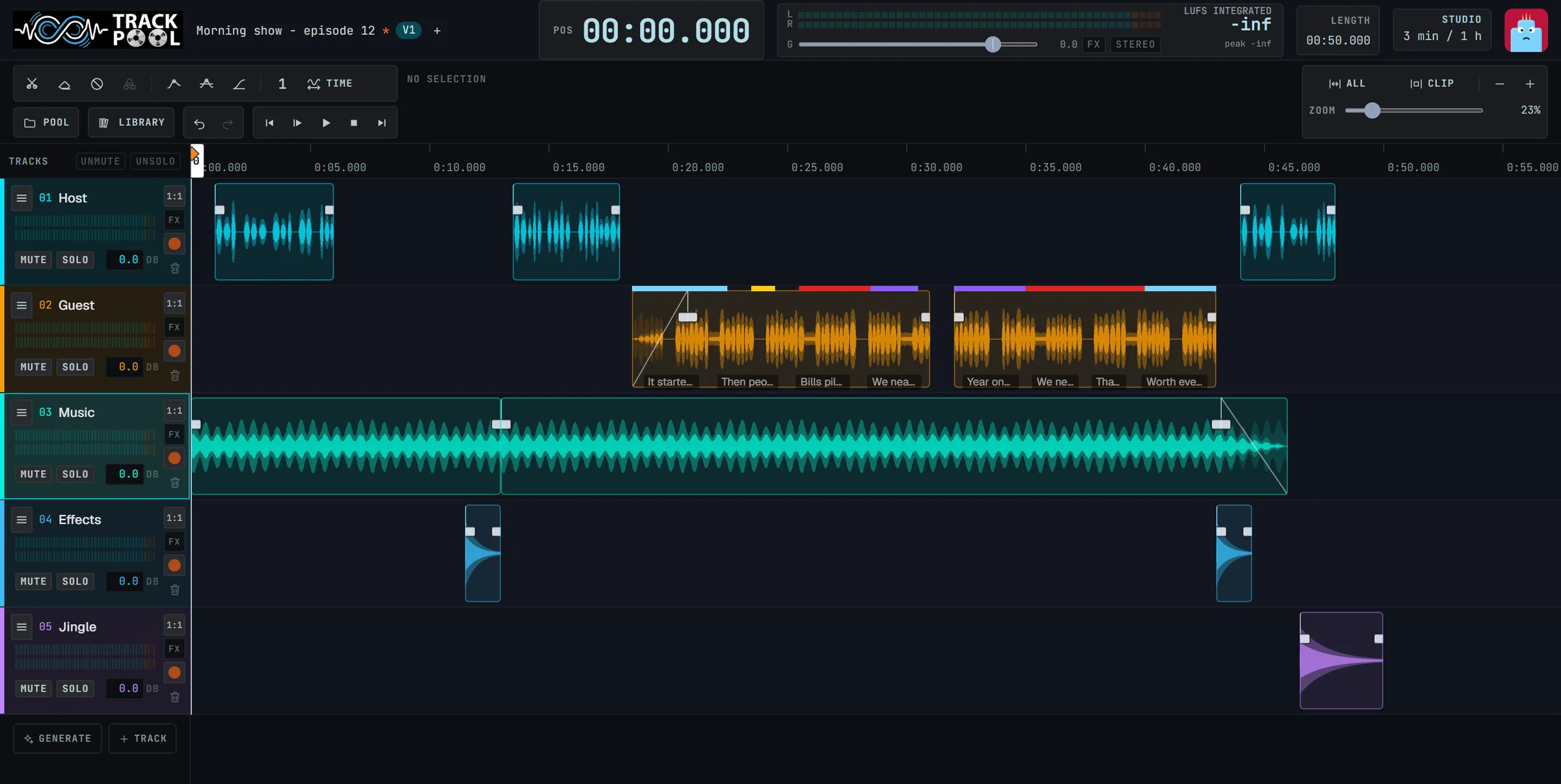
Plug in. Press Record.
Track-Pool recognises the sound card and microphones connected to your computer. Choose one and record.
Sound cards, USB microphones, headsets: they appear in the list on their own.
Voice on one, music on another, effects on a third.
Send the sound to your speakers or your headphones.
Send a link and they record onto your track from wherever they are.
Cut, move, fade.
As simple as it sounds.
Grab a sound and put it where you want it. Everything can be undone.
Drag and drop.
Move, trim and split sounds directly on the tracks.
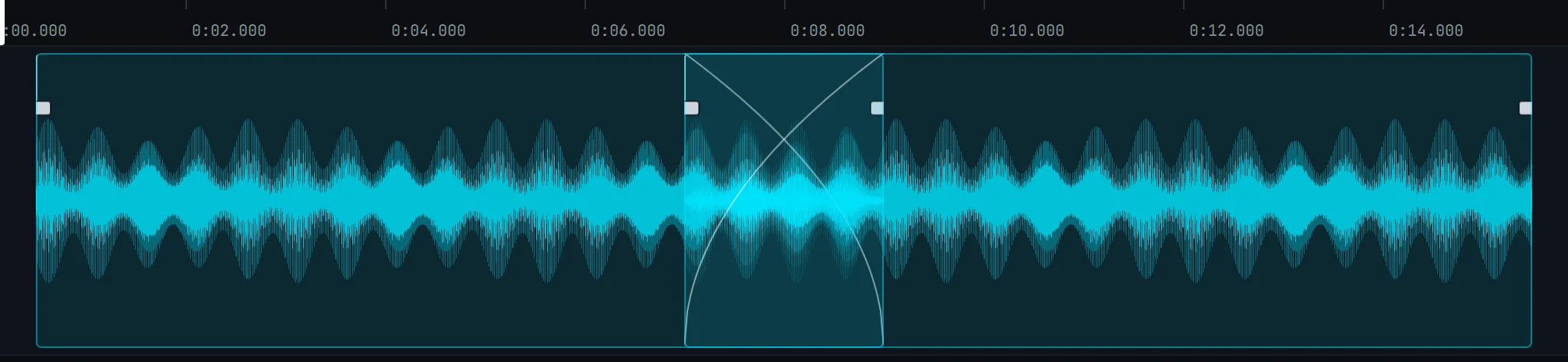
Smooth joins, automatically.
When two sounds overlap, Track-Pool blends them so there is never a click.
Change speed without changing the voice.
Slow down or speed up, the pitch stays natural.
Undo anything.
Try ideas freely without worrying about breaking your mix.
Hours of work, done in a drag.
Fit a voice to the time you have.
The voice-over is three seconds too long. Drag the end of the clip: Track-Pool shortens only the pauses, the words are not touched, and you hear the result while you drag. It works the other way too, to give a text room to breathe.


Cut out the silences in one go.
One click cuts a recording at every pause and removes the silence between the sentences. A long, hesitant take becomes a tight one.


Bad recording? Fix it.
AI helpers repair what the microphone got wrong. The original is always kept, so you can compare and go back.
Remove background noise.
Hum, hiss, air conditioning, street noise disappear with a single slider.
Repair a voice.
Make a distant or muddy voice clear, bright and present in the mix.
Bring a phone recording back to life.
Restores the high frequencies and body that phone calls lose.
Sounds that were never recorded.
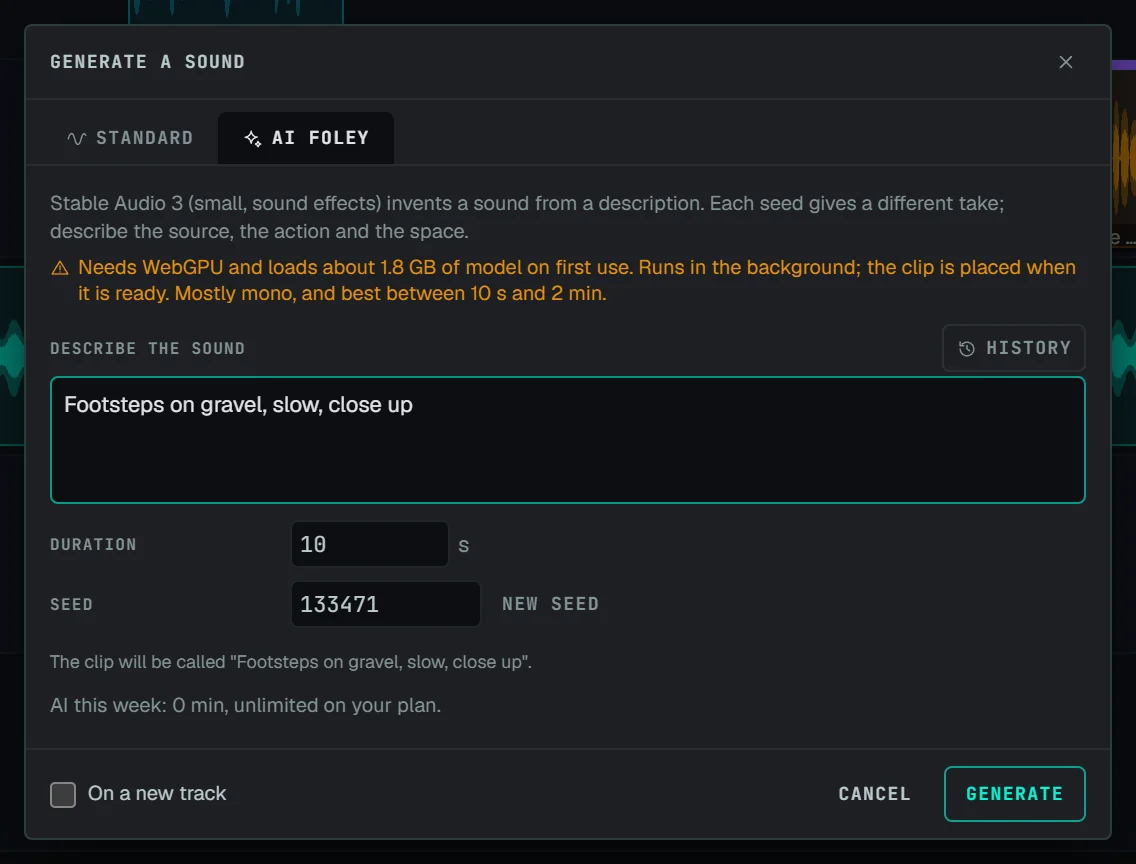
Describe a sound. Get it.
Need a door slamming in a stone hallway? A campfire with crickets? An old typewriter? Type what you hear in your head. A moment later it is on your track, ready to use. Not quite right? Ask again and get a different take.
Make a variation.
Ask for another version of a sound you already have without starting over.
Replace just one moment.
A cough in the middle of a perfect take? Replace those two seconds and keep everything else exactly as it was.
Split a song into its parts.
Voice, drums, bass and the rest, each separated cleanly onto its own track.
Turn speech into text.
Choose the language spoken and get the words transcribed right alongside your audio.
See the mood of a voice.
Mood extraction colours the clip by tone of voice -- calm, upbeat, tense, subdued -- so you find the right take at a glance.
Make it sound finished.
Effects on every track.
Reverb, tone control, and tools that keep the volume even and stop it getting too loud.
Ready-made presets.
Pick “warm voice” or “small room” and adjust if you want. Save your own: they follow your account.
Volume that moves with the story.
Draw the volume up and down along a track, to lower the music under the voice for example.
Loudness check.
A clear meter tells you when your mix is at the right level for streaming or broadcast.
What you hear is what you get.
The exported file sounds exactly like the project.
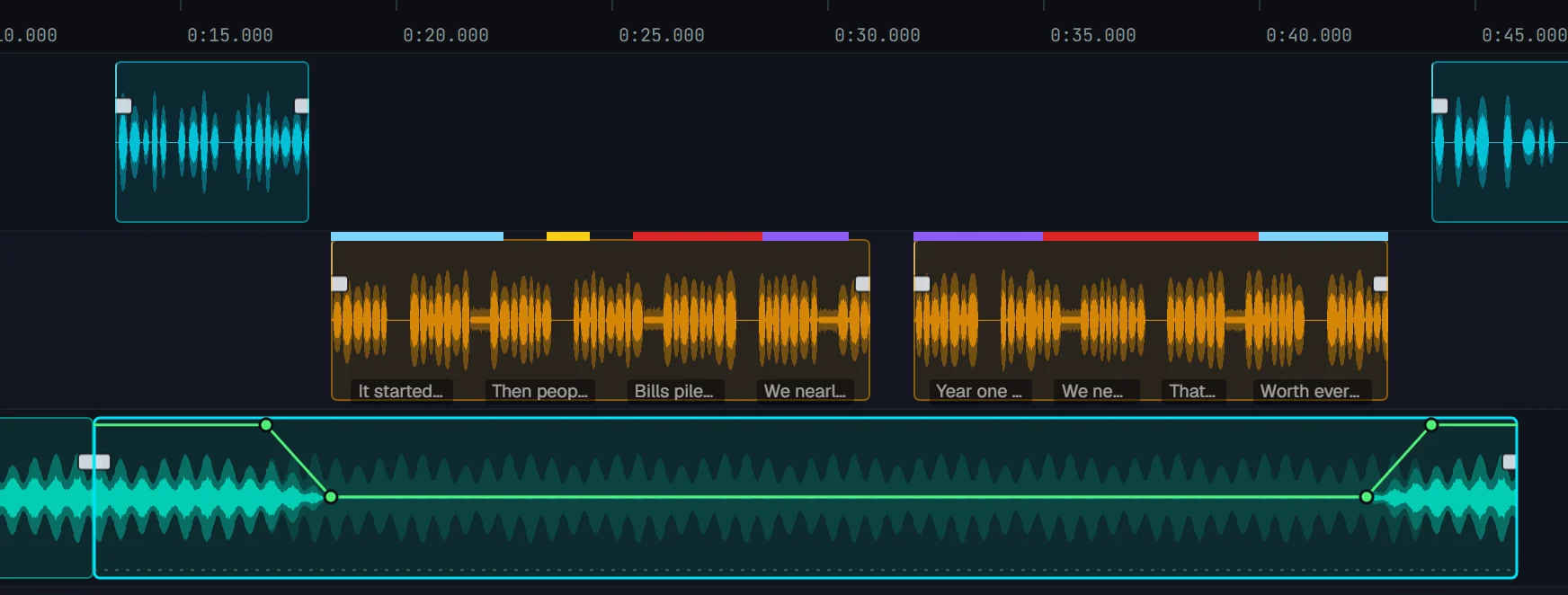
Shift + click adds points to the gain curve; drag a point or a whole stretch up or down. The waveform follows.

The master meter shows the level of each channel and the integrated loudness in LUFS while you play.
Relax. It is saved.
Saved all the time.
Track-Pool saves by itself every few seconds as you work.
Versions.
Keep V1, V2, V3 of a project and reopen any of them at any time.
History.
Go back to any earlier save point with one click.
Crash? Closed the tab?
Your unsaved work is waiting right there when you come back.
At your desk, on the sofa, on the road.
Edit on a computer, a tablet or a phone. On touch screens, drag sounds with a finger or a pen and pinch to zoom.
Your sound stays yours.
The AI tools run on your own computer. Your recordings are never sent to an outside AI service.
Try it on your own sound.
Bring a recording, or make one now.
Start for freeNothing to install. No card needed.